
Issues
Pullfrog reads every new issue, checks it against the issues you already have, and replies with context or a plan. Enrichment is on by default, under Automations → Enrich issues in the repository console.
New issues
Enrichment checks for duplicates, surfaces related issues, and investigates concrete bugs and feature requests. In Enrich mode, Pullfrog does not change code.
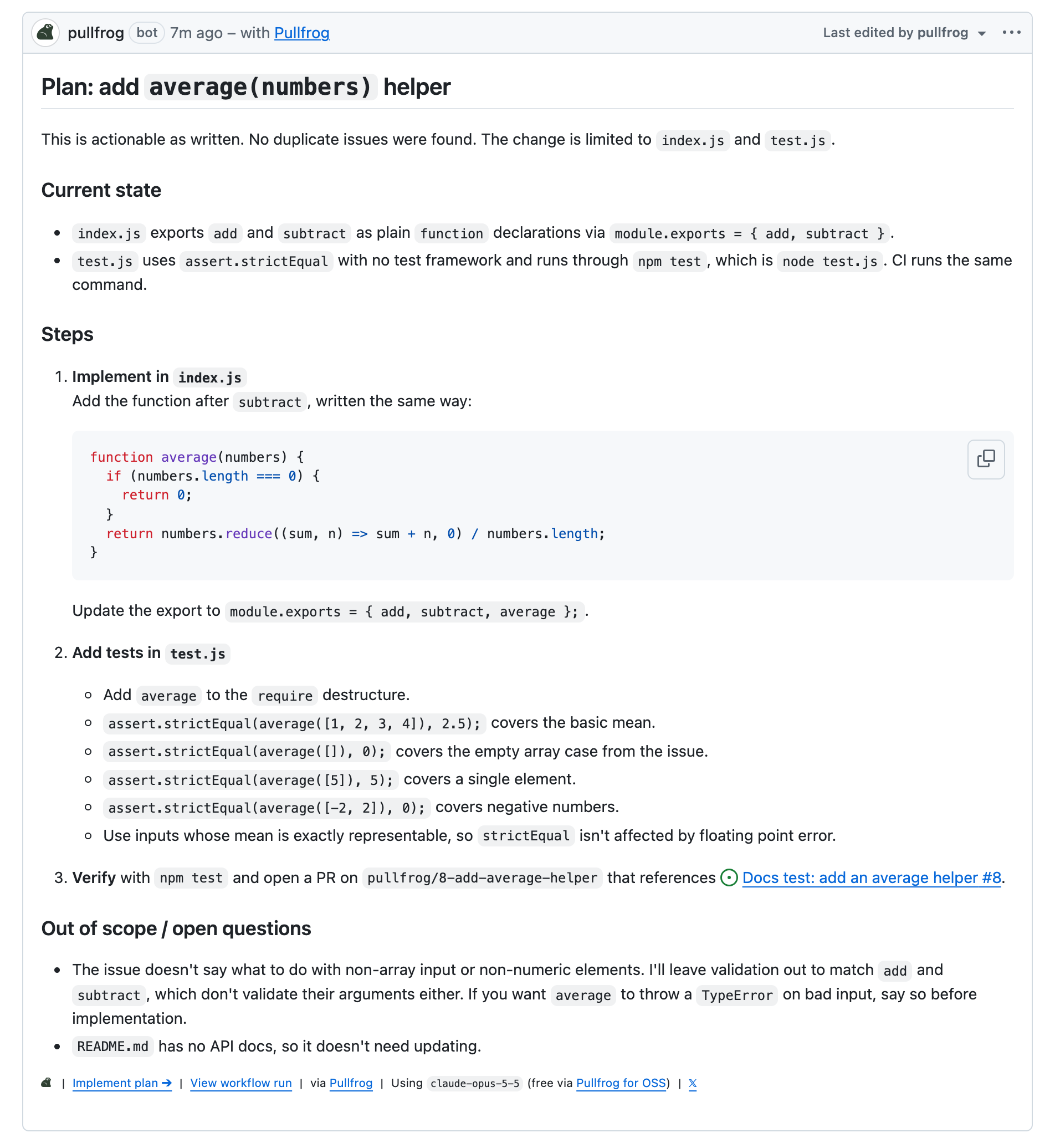
The reply depends on who filed the issue:
- An actionable request from a collaborator with write access gets a concise implementation plan.
- Any other issue gets an analysis, or a request for the missing information.
The Mode setting on the card chooses what a new issue starts:
| Mode | Behavior |
|---|---|
| Enrich | Run the default enrichment prompt, or your own prompt in its place |
| Plan | Analyze the issue and post an implementation plan |
| Build | Implement the issue and open a PR |
Each run uses the repository's configured model. On a public repository, Include issues from non-collaborators decides whether issues from outside contributors are enriched. It is on by default and gives those contributors no other trigger.
To let authors decide when to involve Pullfrog, replace enrichment with Quick Links.
Enrichment prompt
In Enrich mode, the Enrichment prompt field replaces the default prompt. Click View default prompt, then Copy prompt, paste it into the field, and edit it.
Clear the field to go back to the default. In Plan and Build modes, the field is labeled Custom instructions and adds to the mode's built-in prompt.
Existing issues
Ask for enrichment by name from any prompt, such as an @pullfrog enrich this issue mention. The terminal works through a backlog, one run per issue:
gh issue list --json number --jq '.[].number' | xargs -I{} pullfrog run "enrich issue #{}"The run follows the same prompt a new issue gets, including your own Enrichment prompt while Enrich is the selected mode. When a collaborator with write access asks, the default prompt plans any concrete request, whoever filed it.
Implementation from an issue
An enrichment reply carries an Implement a fix button, and a plan comment carries Implement plan. Either one starts a run that reads the issue discussion, implements the work, and opens a PR linked to the issue.
- Implement plan runs against the current text of the plan comment, so your edits to it are included.
- Both buttons require you to sign in to Pullfrog with write access to the repository.
- A mention of
@pullfrogin the issue body skips planning: the run starts immediately with the body as the prompt.
Issue indexing
Issue indexing adds retrieval from Pullfrog's background index of your issues, where enrichment otherwise searches them by keyword. It is free on personal accounts and included in the Organization plan.
- Pullfrog inspects the likely matches before it calls an issue a duplicate, and links a confirmed duplicate instead of writing another plan. Neither search guarantees that every duplicate is found.
- Pullfrog never closes or labels an issue on similarity alone. That decision stays with a maintainer.
- Pullfrog builds the index for every set-up repository on every plan, including a backfill of existing issues, so the index is complete on the day you upgrade.
- Indexing reads issue titles, bodies, and comments, and may read a bounded amount of repository source when an issue references specific files. It never writes to your repository.
Issue labels
The Label issues card under Automations labels each new issue from its title and body, using only labels that already exist in the repository. It is off by default.

Its Custom instructions field shapes the choice:
Prefer specific labels over generic ones. Use at most 3 labels.